


Home ➤ Password Recovery Software ➤ Outlook Express Password Recovery ➤ Screenshots
Outlook Express Password Recovery Screenshots
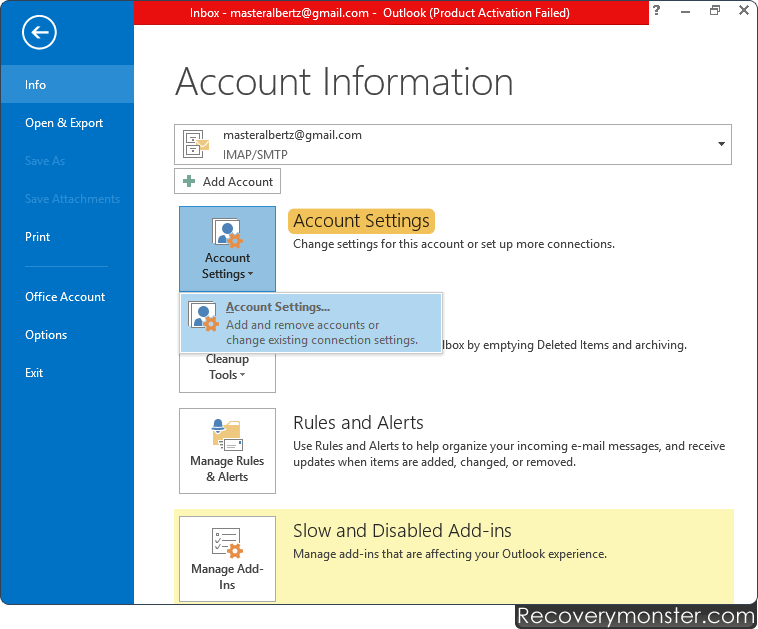
Open MS Outlook then Go to Email ‘Account Settings’ option.
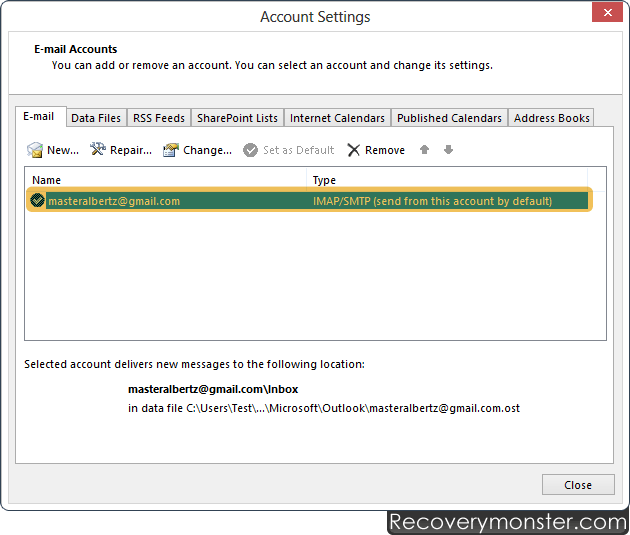
Double click on your Email account to view configuration detail, click on “Change” button.
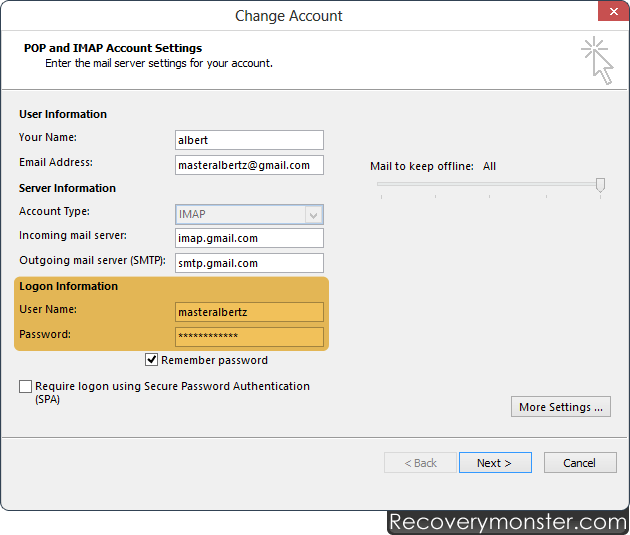
Locate “Password” field among configuration settings then Click on "Next" button.

- ➺ (Premium) - Data Recovery Software
- ➺ Android Data Recovery Software
- ➺ Cell Phone Data Recovery Software
- ➺ NTFS Data Recovery Software
- ➺ FAT Data Recovery Software
- ➺ Digital Camera Data Recovery Software
- ➺ Digital Pictures Recovery Software
- ➺ USB Digital Media Data Recovery Software
- ➺ Memory Card Data Recovery Software
- ➺ USB Drive Data Recovery Software
- ➺ SIM Card Data Recovery Software
- ➺ iPod Data Recovery Software
